mirror of
https://github.com/velocitatem/garlic.git
synced 2026-05-31 16:53:37 +00:00
Compare commits
12 Commits
garlic-vue
...
main
| Author | SHA1 | Date | |
|---|---|---|---|

|
0f883b0d86 | ||
|
|
8ab263eb22 | ||
|
|
50e7cf3ea7 | ||
| eddac361eb | |||
| 177b588e12 | |||
| 4353b726e2 | |||
|
|
a8c8ab7ac7 | ||
| 5242577179 | |||
| 2b4732a34b | |||
| 91270fbb72 | |||
| 5977dd67fb | |||
| c6d3c9d7a4 |

32
README.md
32
README.md
@@ -15,9 +15,9 @@ You write your code and text as you would any other day, just let garlic protect
|
||||
|
||||
# Try Now!
|
||||
|
||||
1. Go to this website: https://glittery-croquembouche-c25561.netlify.app/
|
||||
1. Go to this website: https://garlic-astro.netlify.app/
|
||||
2. You will see normal text the way it should be
|
||||
3. Run the following command: `wget https://glittery-croquembouche-c25561.netlify.app/`
|
||||
3. Run the following command: `wget https://garlic-astro.netlify.app/`
|
||||
4. Open the index.html
|
||||
5. You will see the encoded text :)
|
||||
|
||||
@@ -34,7 +34,7 @@ Install the packages with `npm i garlic-react`, you should then import the `Garl
|
||||
import Garlic from 'garlic';
|
||||
```
|
||||
|
||||
You just need to wrap your html in the `garlic()` method:
|
||||
You just need to wrap your html in the `Garlic.clove` method:
|
||||
|
||||
```js
|
||||
function App() {
|
||||
@@ -55,7 +55,31 @@ Garlic.peal(document);
|
||||
And all is done!
|
||||
|
||||
## Astro
|
||||
Coming soon :)
|
||||
|
||||
install the package with `npm i garlic-astro`. With Astro, you just need to import the `Garlic` and `Clove` components into your layout:
|
||||
|
||||
```astro
|
||||
import {Garlic, Clove} from 'garlic-astro';
|
||||
---
|
||||
<Garlic>
|
||||
<!DOCTYPE html>
|
||||
<html lang="en">
|
||||
<head>
|
||||
<title>{title}</title>
|
||||
</head>
|
||||
<body>
|
||||
<Clove>
|
||||
<slot />
|
||||
</Clove>
|
||||
</body>
|
||||
</html>
|
||||
</Garlic>
|
||||
```
|
||||
|
||||
Ideally, `Garlic` should wrap the entire page, and `Clove` should wrap the content you want to protect. You can also use `Clove` multiple times, if you want to protect different parts of your page.
|
||||
|
||||
You can then use the layout in `.astro` or `.mdx` files, and the content will be protected.
|
||||
|
||||
|
||||
# Why?
|
||||
AI needs data, your website might end-up in the dataset it uses for training. Dont want that? Garlic should help :)
|
||||
|
||||
@@ -8,15 +8,12 @@ import sqlite3
|
||||
import time
|
||||
import sys
|
||||
|
||||
urls = ["https://garlic-react.netlify.app/", "https://garlic-vue.netlify.app/"]
|
||||
urls = ["https://glittery-croquembouche-c25561.netlify.app/"]
|
||||
|
||||
# connect to the database
|
||||
conn = sqlite3.connect('garlic.db')
|
||||
c = conn.cursor()
|
||||
|
||||
# clear the database
|
||||
c.execute("DROP TABLE IF EXISTS garlic")
|
||||
|
||||
# create the table if it does not exist
|
||||
c.execute('''CREATE TABLE IF NOT EXISTS websites (url text, content text)''')
|
||||
|
||||
|
||||
90
demo-nuxt/.gitignore
vendored
90
demo-nuxt/.gitignore
vendored
@@ -1,90 +0,0 @@
|
||||
# Created by .ignore support plugin (hsz.mobi)
|
||||
### Node template
|
||||
# Logs
|
||||
/logs
|
||||
*.log
|
||||
npm-debug.log*
|
||||
yarn-debug.log*
|
||||
yarn-error.log*
|
||||
|
||||
# Runtime data
|
||||
pids
|
||||
*.pid
|
||||
*.seed
|
||||
*.pid.lock
|
||||
|
||||
# Directory for instrumented libs generated by jscoverage/JSCover
|
||||
lib-cov
|
||||
|
||||
# Coverage directory used by tools like istanbul
|
||||
coverage
|
||||
|
||||
# nyc test coverage
|
||||
.nyc_output
|
||||
|
||||
# Grunt intermediate storage (http://gruntjs.com/creating-plugins#storing-task-files)
|
||||
.grunt
|
||||
|
||||
# Bower dependency directory (https://bower.io/)
|
||||
bower_components
|
||||
|
||||
# node-waf configuration
|
||||
.lock-wscript
|
||||
|
||||
# Compiled binary addons (https://nodejs.org/api/addons.html)
|
||||
build/Release
|
||||
|
||||
# Dependency directories
|
||||
node_modules/
|
||||
jspm_packages/
|
||||
|
||||
# TypeScript v1 declaration files
|
||||
typings/
|
||||
|
||||
# Optional npm cache directory
|
||||
.npm
|
||||
|
||||
# Optional eslint cache
|
||||
.eslintcache
|
||||
|
||||
# Optional REPL history
|
||||
.node_repl_history
|
||||
|
||||
# Output of 'npm pack'
|
||||
*.tgz
|
||||
|
||||
# Yarn Integrity file
|
||||
.yarn-integrity
|
||||
|
||||
# dotenv environment variables file
|
||||
.env
|
||||
|
||||
# parcel-bundler cache (https://parceljs.org/)
|
||||
.cache
|
||||
|
||||
# next.js build output
|
||||
.next
|
||||
|
||||
# nuxt.js build output
|
||||
.nuxt
|
||||
|
||||
# Nuxt generate
|
||||
dist
|
||||
|
||||
# vuepress build output
|
||||
.vuepress/dist
|
||||
|
||||
# Serverless directories
|
||||
.serverless
|
||||
|
||||
# IDE / Editor
|
||||
.idea
|
||||
|
||||
# Service worker
|
||||
sw.*
|
||||
|
||||
# macOS
|
||||
.DS_Store
|
||||
|
||||
# Vim swap files
|
||||
*.swp
|
||||
@@ -1,69 +0,0 @@
|
||||
# demo-nuxt
|
||||
|
||||
## Build Setup
|
||||
|
||||
```bash
|
||||
# install dependencies
|
||||
$ npm install
|
||||
|
||||
# serve with hot reload at localhost:3000
|
||||
$ npm run dev
|
||||
|
||||
# build for production and launch server
|
||||
$ npm run build
|
||||
$ npm run start
|
||||
|
||||
# generate static project
|
||||
$ npm run generate
|
||||
```
|
||||
|
||||
For detailed explanation on how things work, check out the [documentation](https://nuxtjs.org).
|
||||
|
||||
## Special Directories
|
||||
|
||||
You can create the following extra directories, some of which have special behaviors. Only `pages` is required; you can delete them if you don't want to use their functionality.
|
||||
|
||||
### `assets`
|
||||
|
||||
The assets directory contains your uncompiled assets such as Stylus or Sass files, images, or fonts.
|
||||
|
||||
More information about the usage of this directory in [the documentation](https://nuxtjs.org/docs/2.x/directory-structure/assets).
|
||||
|
||||
### `components`
|
||||
|
||||
The components directory contains your Vue.js components. Components make up the different parts of your page and can be reused and imported into your pages, layouts and even other components.
|
||||
|
||||
More information about the usage of this directory in [the documentation](https://nuxtjs.org/docs/2.x/directory-structure/components).
|
||||
|
||||
### `layouts`
|
||||
|
||||
Layouts are a great help when you want to change the look and feel of your Nuxt app, whether you want to include a sidebar or have distinct layouts for mobile and desktop.
|
||||
|
||||
More information about the usage of this directory in [the documentation](https://nuxtjs.org/docs/2.x/directory-structure/layouts).
|
||||
|
||||
|
||||
### `pages`
|
||||
|
||||
This directory contains your application views and routes. Nuxt will read all the `*.vue` files inside this directory and setup Vue Router automatically.
|
||||
|
||||
More information about the usage of this directory in [the documentation](https://nuxtjs.org/docs/2.x/get-started/routing).
|
||||
|
||||
### `plugins`
|
||||
|
||||
The plugins directory contains JavaScript plugins that you want to run before instantiating the root Vue.js Application. This is the place to add Vue plugins and to inject functions or constants. Every time you need to use `Vue.use()`, you should create a file in `plugins/` and add its path to plugins in `nuxt.config.js`.
|
||||
|
||||
More information about the usage of this directory in [the documentation](https://nuxtjs.org/docs/2.x/directory-structure/plugins).
|
||||
|
||||
### `static`
|
||||
|
||||
This directory contains your static files. Each file inside this directory is mapped to `/`.
|
||||
|
||||
Example: `/static/robots.txt` is mapped as `/robots.txt`.
|
||||
|
||||
More information about the usage of this directory in [the documentation](https://nuxtjs.org/docs/2.x/directory-structure/static).
|
||||
|
||||
### `store`
|
||||
|
||||
This directory contains your Vuex store files. Creating a file in this directory automatically activates Vuex.
|
||||
|
||||
More information about the usage of this directory in [the documentation](https://nuxtjs.org/docs/2.x/directory-structure/store).
|
||||
@@ -1,11 +0,0 @@
|
||||
<template>
|
||||
<svg class="nuxt-logo" viewBox="0 0 45 30" fill="none" xmlns="http://www.w3.org/2000/svg">
|
||||
<path d="M24.7203 29.704H41.1008C41.6211 29.7041 42.1322 29.5669 42.5828 29.3061C43.0334 29.0454 43.4075 28.6704 43.6675 28.2188C43.9275 27.7672 44.0643 27.2549 44.0641 26.7335C44.0639 26.2121 43.9266 25.6999 43.6662 25.2485L32.6655 6.15312C32.4055 5.70162 32.0315 5.32667 31.581 5.06598C31.1305 4.8053 30.6195 4.66805 30.0994 4.66805C29.5792 4.66805 29.0682 4.8053 28.6177 5.06598C28.1672 5.32667 27.7932 5.70162 27.5332 6.15312L24.7203 11.039L19.2208 1.48485C18.9606 1.03338 18.5864 0.658493 18.1358 0.397853C17.6852 0.137213 17.1741 0 16.6538 0C16.1336 0 15.6225 0.137213 15.1719 0.397853C14.7213 0.658493 14.3471 1.03338 14.0868 1.48485L0.397874 25.2485C0.137452 25.6999 0.000226653 26.2121 2.8053e-07 26.7335C-0.000226092 27.2549 0.136554 27.7672 0.396584 28.2188C0.656614 28.6704 1.03072 29.0454 1.48129 29.3061C1.93185 29.5669 2.44298 29.7041 2.96326 29.704H13.2456C17.3195 29.704 20.3239 27.9106 22.3912 24.4118L27.4102 15.7008L30.0986 11.039L38.1667 25.0422H27.4102L24.7203 29.704ZM13.0779 25.0374L5.9022 25.0358L16.6586 6.36589L22.0257 15.7008L18.4322 21.9401C17.0593 24.2103 15.4996 25.0374 13.0779 25.0374Z" fill="#00DC82" />
|
||||
</svg>
|
||||
</template>
|
||||
|
||||
<style>
|
||||
.nuxt-logo {
|
||||
height: 180px;
|
||||
}
|
||||
</style>
|
||||
@@ -1,52 +0,0 @@
|
||||
<!-- Please remove this file from your project -->
|
||||
<template>
|
||||
<div class="relative flex items-top justify-center min-h-screen bg-gray-100 sm:items-center sm:pt-0">
|
||||
<link href="https://cdn.jsdelivr.net/npm/tailwindcss@2.1.2/dist/tailwind.min.css" rel="stylesheet">
|
||||
<div class="max-w-4xl mx-auto sm:px-6 lg:px-8">
|
||||
<a class="flex justify-center pt-8 sm:pt-0" href="https://nuxtjs.org" target="_blank">
|
||||
<svg width="218" height="45" viewBox="0 0 159 30" fill="none" xmlns="http://www.w3.org/2000/svg"><path d="M55.5017 6.81866H60.1727L70.0719 22.9912V6.81866H74.3837V29.7345H69.7446L59.8135 13.5955V29.7345H55.5017V6.81866Z" fill="#003543" /> <path d="M93.657 29.7344H89.6389V27.1747C88.7241 28.9761 86.8628 29.9904 84.5113 29.9904C80.7869 29.9904 78.3684 27.3059 78.3684 23.4423V13.2339H82.3865V22.5976C82.3865 24.8566 83.7594 26.4276 85.8171 26.4276C88.0712 26.4276 89.6389 24.6598 89.6389 22.2377V13.2339H93.657V29.7344Z" fill="#003543" /> <path d="M107.64 29.7344L103.784 24.2342L99.9291 29.7344H95.6492L101.596 21.1242L96.1074 13.2339H100.485L103.784 17.9821L107.051 13.2339H111.461L105.94 21.1242L111.886 29.7344H107.64Z" fill="#003543" /> <path d="M120.053 8.25848V13.2339H124.627V16.6063H120.053V24.7974C120.053 25.0725 120.162 25.3363 120.356 25.531C120.55 25.7257 120.813 25.8353 121.087 25.8357H124.627V29.728H121.98C118.386 29.728 116.035 27.6323 116.035 23.9687V16.6095H112.801V13.2339H114.83C115.776 13.2339 116.327 12.6692 116.327 11.7349V8.25848H120.053Z" fill="#003543" /> <path d="M134.756 24.5446V6.81866H139.066V23.1864C139.066 27.6067 136.943 29.7345 133.349 29.7345H128.332V25.8421H133.461C133.804 25.8421 134.134 25.7054 134.377 25.4621C134.619 25.2188 134.756 24.8888 134.756 24.5446Z" fill="#003543" /> <path d="M141.649 22.0409H145.799C146.029 24.6006 147.728 26.2308 150.472 26.2308C152.923 26.2308 154.623 25.2501 154.623 23.2199C154.623 18.3085 142.331 21.7129 142.331 12.9395C142.334 9.17515 145.568 6.55945 150.215 6.55945C155.05 6.55945 158.317 9.34153 158.516 13.6306H154.388C154.193 11.6341 152.632 10.2918 150.207 10.2918C147.953 10.2918 146.548 11.3397 146.548 12.9427C146.548 18.0173 159 14.2226 159 23.1576C159 27.4131 155.504 30 150.474 30C145.279 30 141.882 26.8563 141.654 22.0441" fill="#003543" /> <path d="M24.7203 29.704H41.1008C41.6211 29.7041 42.1322 29.5669 42.5828 29.3061C43.0334 29.0454 43.4075 28.6704 43.6675 28.2188C43.9275 27.7672 44.0643 27.2549 44.0641 26.7335C44.0639 26.2121 43.9266 25.6999 43.6662 25.2485L32.6655 6.15312C32.4055 5.70162 32.0315 5.32667 31.581 5.06598C31.1305 4.8053 30.6195 4.66805 30.0994 4.66805C29.5792 4.66805 29.0682 4.8053 28.6177 5.06598C28.1672 5.32667 27.7932 5.70162 27.5332 6.15312L24.7203 11.039L19.2208 1.48485C18.9606 1.03338 18.5864 0.658493 18.1358 0.397853C17.6852 0.137213 17.1741 0 16.6538 0C16.1336 0 15.6225 0.137213 15.1719 0.397853C14.7213 0.658493 14.3471 1.03338 14.0868 1.48485L0.397874 25.2485C0.137452 25.6999 0.000226653 26.2121 2.8053e-07 26.7335C-0.000226092 27.2549 0.136554 27.7672 0.396584 28.2188C0.656614 28.6704 1.03072 29.0454 1.48129 29.3061C1.93185 29.5669 2.44298 29.7041 2.96326 29.704H13.2456C17.3195 29.704 20.3239 27.9106 22.3912 24.4118L27.4102 15.7008L30.0986 11.039L38.1667 25.0422H27.4102L24.7203 29.704ZM13.0779 25.0374L5.9022 25.0358L16.6586 6.36589L22.0257 15.7008L18.4322 21.9401C17.0593 24.2103 15.4996 25.0374 13.0779 25.0374Z" fill="#00DC82" /></svg>
|
||||
</a>
|
||||
<div class="mt-8 bg-white overflow-hidden shadow sm:rounded-lg p-6">
|
||||
<h2 class="text-2xl leading-7 font-semibold">
|
||||
Welcome to your Nuxt Application
|
||||
</h2>
|
||||
<p class="mt-3 text-gray-600">
|
||||
We recommend you take a look at the <a href="https://nuxtjs.org" target="_blank" class="button--doc text-green-500 hover:underline">Nuxt Documentation</a>, whether you are new or have previous experience with the framework.<br>
|
||||
</p>
|
||||
<p class="mt-4 pt-4 text-gray-800 border-t border-dashed" v-garlic>
|
||||
To get started, remove <code class="bg-gray-100 text-sm p-1 rounded border">components/Tutorial.vue</code> and start coding in <code class="bg-gray-100 text-sm p-1 rounded border">pages/index.vue</code>. Have fun!
|
||||
</p>
|
||||
</div>
|
||||
<div class="flex justify-center pt-4 space-x-2">
|
||||
<a href="https://github.com/nuxt/nuxt.js" target="_blank"><svg
|
||||
class="w-6 h-6 text-gray-600 hover:text-gray-800 button--github"
|
||||
xmlns="http://www.w3.org/2000/svg"
|
||||
xmlns:xlink="http://www.w3.org/1999/xlink"
|
||||
aria-hidden="true"
|
||||
role="img"
|
||||
width="32"
|
||||
height="32"
|
||||
preserveAspectRatio="xMidYMid meet"
|
||||
viewBox="0 0 24 24"
|
||||
><path d="M12 2.247a10 10 0 0 0-3.162 19.487c.5.088.687-.212.687-.475c0-.237-.012-1.025-.012-1.862c-2.513.462-3.163-.613-3.363-1.175a3.636 3.636 0 0 0-1.025-1.413c-.35-.187-.85-.65-.013-.662a2.001 2.001 0 0 1 1.538 1.025a2.137 2.137 0 0 0 2.912.825a2.104 2.104 0 0 1 .638-1.338c-2.225-.25-4.55-1.112-4.55-4.937a3.892 3.892 0 0 1 1.025-2.688a3.594 3.594 0 0 1 .1-2.65s.837-.262 2.75 1.025a9.427 9.427 0 0 1 5 0c1.912-1.3 2.75-1.025 2.75-1.025a3.593 3.593 0 0 1 .1 2.65a3.869 3.869 0 0 1 1.025 2.688c0 3.837-2.338 4.687-4.563 4.937a2.368 2.368 0 0 1 .675 1.85c0 1.338-.012 2.413-.012 2.75c0 .263.187.575.687.475A10.005 10.005 0 0 0 12 2.247z" fill="currentColor" /></svg></a>
|
||||
<a href="https://twitter.com/nuxt_js" target="_blank"><svg
|
||||
class="w-6 h-6 text-gray-600 hover:text-gray-800"
|
||||
xmlns="http://www.w3.org/2000/svg"
|
||||
xmlns:xlink="http://www.w3.org/1999/xlink"
|
||||
aria-hidden="true"
|
||||
role="img"
|
||||
width="32"
|
||||
height="32"
|
||||
preserveAspectRatio="xMidYMid meet"
|
||||
viewBox="0 0 24 24"
|
||||
><path d="M22.46 6c-.77.35-1.6.58-2.46.69c.88-.53 1.56-1.37 1.88-2.38c-.83.5-1.75.85-2.72 1.05C18.37 4.5 17.26 4 16 4c-2.35 0-4.27 1.92-4.27 4.29c0 .34.04.67.11.98C8.28 9.09 5.11 7.38 3 4.79c-.37.63-.58 1.37-.58 2.15c0 1.49.75 2.81 1.91 3.56c-.71 0-1.37-.2-1.95-.5v.03c0 2.08 1.48 3.82 3.44 4.21a4.22 4.22 0 0 1-1.93.07a4.28 4.28 0 0 0 4 2.98a8.521 8.521 0 0 1-5.33 1.84c-.34 0-.68-.02-1.02-.06C3.44 20.29 5.7 21 8.12 21C16 21 20.33 14.46 20.33 8.79c0-.19 0-.37-.01-.56c.84-.6 1.56-1.36 2.14-2.23z" fill="currentColor" /></svg></a>
|
||||
</div>
|
||||
</div>
|
||||
</div>
|
||||
</template>
|
||||
|
||||
<script>
|
||||
export default {
|
||||
name: 'NuxtTutorial'
|
||||
}
|
||||
</script>
|
||||
@@ -1,46 +0,0 @@
|
||||
export default {
|
||||
// Target: https://go.nuxtjs.dev/config-target
|
||||
target: 'static',
|
||||
|
||||
// Global page headers: https://go.nuxtjs.dev/config-head
|
||||
head: {
|
||||
title: 'demo-nuxt',
|
||||
htmlAttrs: {
|
||||
lang: 'en'
|
||||
},
|
||||
meta: [
|
||||
{ charset: 'utf-8' },
|
||||
{ name: 'viewport', content: 'width=device-width, initial-scale=1' },
|
||||
{ hid: 'description', name: 'description', content: '' },
|
||||
{ name: 'format-detection', content: 'telephone=no' }
|
||||
],
|
||||
link: [
|
||||
{ rel: 'icon', type: 'image/x-icon', href: '/favicon.ico' }
|
||||
]
|
||||
},
|
||||
|
||||
// Global CSS: https://go.nuxtjs.dev/config-css
|
||||
css: [
|
||||
],
|
||||
|
||||
// Plugins to run before rendering page: https://go.nuxtjs.dev/config-plugins
|
||||
plugins: [
|
||||
"~/plugins/directives"
|
||||
],
|
||||
|
||||
// Auto import components: https://go.nuxtjs.dev/config-components
|
||||
components: true,
|
||||
|
||||
// Modules for dev and build (recommended): https://go.nuxtjs.dev/config-modules
|
||||
buildModules: [
|
||||
],
|
||||
|
||||
// Modules: https://go.nuxtjs.dev/config-modules
|
||||
modules: [
|
||||
],
|
||||
|
||||
// Build Configuration: https://go.nuxtjs.dev/config-build
|
||||
build: {
|
||||
}
|
||||
|
||||
}
|
||||
@@ -1,19 +0,0 @@
|
||||
{
|
||||
"name": "demo-nuxt",
|
||||
"version": "1.0.0",
|
||||
"private": true,
|
||||
"scripts": {
|
||||
"dev": "nuxt",
|
||||
"build": "nuxt build",
|
||||
"start": "nuxt start",
|
||||
"generate": "nuxt generate"
|
||||
},
|
||||
"dependencies": {
|
||||
"@nuxt/kit": "^3.2.3",
|
||||
"core-js": "^3.25.3",
|
||||
"nuxt": "^2.15.8",
|
||||
"vue": "^2.7.10",
|
||||
"vue-server-renderer": "^2.7.10",
|
||||
"vue-template-compiler": "^2.7.10"
|
||||
}
|
||||
}
|
||||
@@ -1,9 +0,0 @@
|
||||
<template>
|
||||
<Tutorial/>
|
||||
</template>
|
||||
|
||||
<script>
|
||||
export default {
|
||||
name: 'IndexPage'
|
||||
}
|
||||
</script>
|
||||
@@ -1,25 +0,0 @@
|
||||
import Vue from 'vue'
|
||||
import Garlic from './garlic'
|
||||
|
||||
// esling gobaly disable no-unused-vars
|
||||
|
||||
// the intention here is to replace the innerText of the div with itself but encoded with base64
|
||||
// we do this with a custom directive
|
||||
Vue.directive('garlic', {
|
||||
// eslint-disable-next-line no-unused-vars
|
||||
beforeMount(el, binding, vnode, prevVnode) {
|
||||
// eslint-disable-next-line no-unused-vars
|
||||
console.log('beforeCreate', el)
|
||||
el = Garlic.clove(el)
|
||||
},
|
||||
/*
|
||||
Since most custom directives involve direct DOM manipulation, they are ignored during SSR. However, if you want to specify how a custom directive should be rendered (i.e. what attributes it should add to the rendered element), you can use the getSSRProps directive hook:
|
||||
*/
|
||||
getSSRProps(el) {
|
||||
// eslint-disable-next-line no-unused-vars
|
||||
console.log('getSSRProps', el)
|
||||
return {
|
||||
innerHTML: Garlic.clove(el)
|
||||
}
|
||||
}
|
||||
})
|
||||
@@ -1,53 +0,0 @@
|
||||
class Garlic {
|
||||
|
||||
static clove(element) {
|
||||
// if the element is a text node
|
||||
if (element.nodeType === 3) {
|
||||
// convert the text to base64
|
||||
element.textContent = btoa(element.textContent);
|
||||
}
|
||||
// if the element has children
|
||||
if (element.childNodes) {
|
||||
// loop through the children
|
||||
for (let i = 0; i < element.childNodes.length; i++) {
|
||||
// recursively call the function on the child
|
||||
Garlic.clove(element.childNodes[i]);
|
||||
}
|
||||
}
|
||||
// return the element
|
||||
return element;
|
||||
}
|
||||
|
||||
static addSalt(salt) {
|
||||
// set a static variable to the salt
|
||||
this.salt = "_yummy_" + salt;
|
||||
document.salt = salt;
|
||||
}
|
||||
|
||||
static encode(string) {
|
||||
return btoa(string+(this.salt || ""));
|
||||
}
|
||||
static decodeBase64(root) {
|
||||
for (let i = 0; i < root.childNodes.length; i++) {
|
||||
const child = root.childNodes[i];
|
||||
if (child.childNodes.length === 1 && child.childNodes[0].nodeType === 3) {
|
||||
const decoded = atob(child.childNodes[0].nodeValue).split("_yummy_")[0];
|
||||
child.innerHTML = decoded;
|
||||
console.log(child);
|
||||
} else {
|
||||
this.decodeBase64(child);
|
||||
}
|
||||
}
|
||||
}
|
||||
|
||||
|
||||
static peal(document, id) {
|
||||
document.addEventListener("DOMContentLoaded", function() {
|
||||
Garlic.decodeBase64(document.getElementById(id));
|
||||
});
|
||||
}
|
||||
}
|
||||
|
||||
|
||||
|
||||
export default Garlic;
|
||||
Binary file not shown.
|
Before Width: | Height: | Size: 8.4 KiB |
@@ -1,10 +0,0 @@
|
||||
# STORE
|
||||
|
||||
**This directory is not required, you can delete it if you don't want to use it.**
|
||||
|
||||
This directory contains your Vuex Store files.
|
||||
Vuex Store option is implemented in the Nuxt.js framework.
|
||||
|
||||
Creating a file in this directory automatically activates the option in the framework.
|
||||
|
||||
More information about the usage of this directory in [the documentation](https://nuxtjs.org/guide/vuex-store).
|
||||
0
demos/astro/README.md
Normal file
0
demos/astro/README.md
Normal file
21
demos/astro/strong-singularity/.gitignore
vendored
Normal file
21
demos/astro/strong-singularity/.gitignore
vendored
Normal file
@@ -0,0 +1,21 @@
|
||||
# build output
|
||||
dist/
|
||||
|
||||
# generated types
|
||||
.astro/
|
||||
|
||||
# dependencies
|
||||
node_modules/
|
||||
|
||||
# logs
|
||||
npm-debug.log*
|
||||
yarn-debug.log*
|
||||
yarn-error.log*
|
||||
pnpm-debug.log*
|
||||
|
||||
# environment variables
|
||||
.env
|
||||
.env.production
|
||||
|
||||
# macOS-specific files
|
||||
.DS_Store
|
||||
4
demos/astro/strong-singularity/.vscode/extensions.json
vendored
Normal file
4
demos/astro/strong-singularity/.vscode/extensions.json
vendored
Normal file
@@ -0,0 +1,4 @@
|
||||
{
|
||||
"recommendations": ["astro-build.astro-vscode"],
|
||||
"unwantedRecommendations": []
|
||||
}
|
||||
11
demos/astro/strong-singularity/.vscode/launch.json
vendored
Normal file
11
demos/astro/strong-singularity/.vscode/launch.json
vendored
Normal file
@@ -0,0 +1,11 @@
|
||||
{
|
||||
"version": "0.2.0",
|
||||
"configurations": [
|
||||
{
|
||||
"command": "./node_modules/.bin/astro dev",
|
||||
"name": "Development server",
|
||||
"request": "launch",
|
||||
"type": "node-terminal"
|
||||
}
|
||||
]
|
||||
}
|
||||
55
demos/astro/strong-singularity/README.md
Normal file
55
demos/astro/strong-singularity/README.md
Normal file
@@ -0,0 +1,55 @@
|
||||
# Astro Starter Kit: Basics
|
||||
|
||||
```
|
||||
npm create astro@latest -- --template basics
|
||||
```
|
||||
|
||||
[](https://stackblitz.com/github/withastro/astro/tree/latest/examples/basics)
|
||||
[](https://codesandbox.io/p/sandbox/github/withastro/astro/tree/latest/examples/basics)
|
||||
[](https://codespaces.new/withastro/astro?devcontainer_path=.devcontainer/basics/devcontainer.json)
|
||||
|
||||
> 🧑🚀 **Seasoned astronaut?** Delete this file. Have fun!
|
||||
|
||||
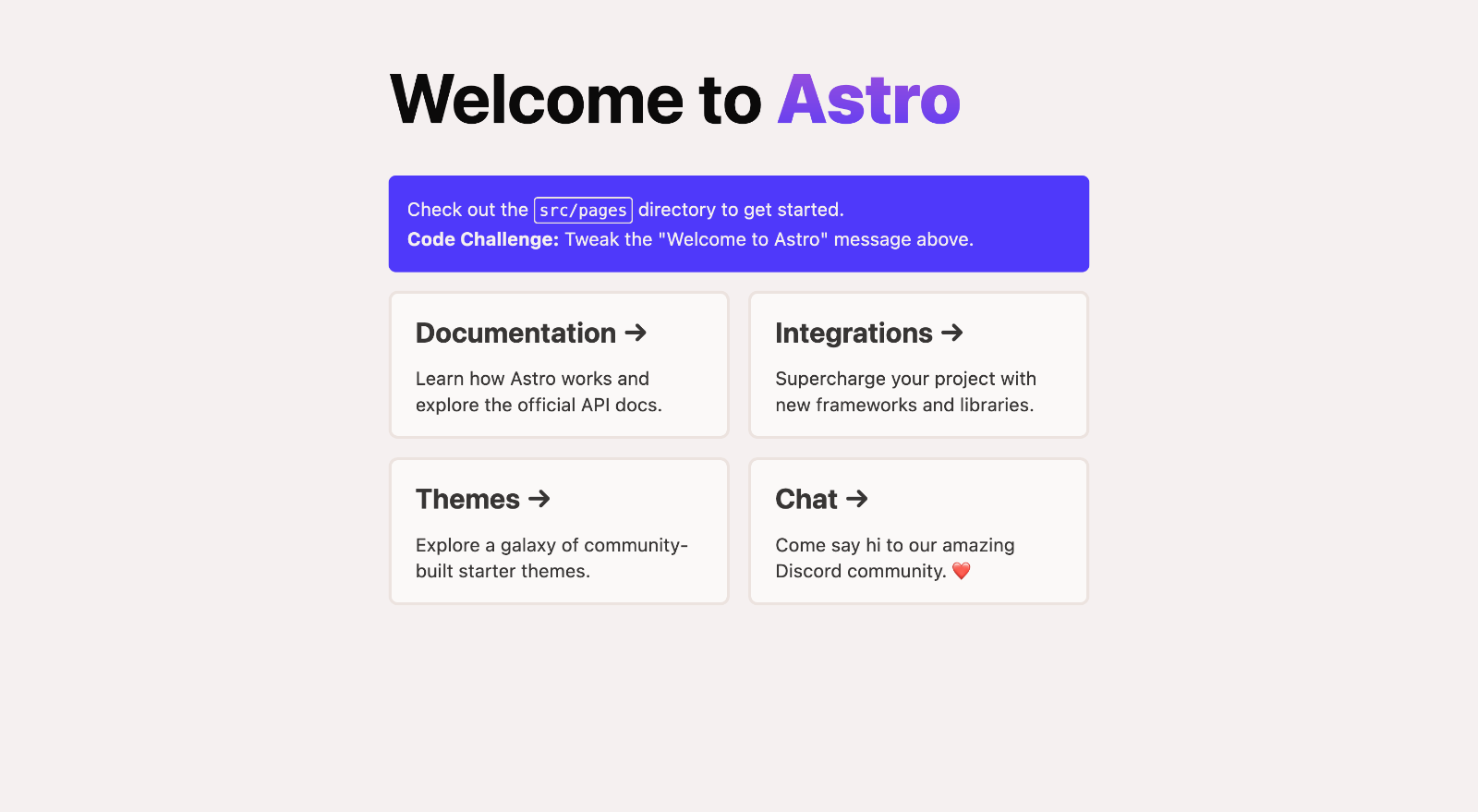
|
||||
|
||||
|
||||
## 🚀 Project Structure
|
||||
|
||||
Inside of your Astro project, you'll see the following folders and files:
|
||||
|
||||
```
|
||||
/
|
||||
├── public/
|
||||
│ └── favicon.svg
|
||||
├── src/
|
||||
│ ├── components/
|
||||
│ │ └── Card.astro
|
||||
│ ├── layouts/
|
||||
│ │ └── Layout.astro
|
||||
│ └── pages/
|
||||
│ └── index.astro
|
||||
└── package.json
|
||||
```
|
||||
|
||||
Astro looks for `.astro` or `.md` files in the `src/pages/` directory. Each page is exposed as a route based on its file name.
|
||||
|
||||
There's nothing special about `src/components/`, but that's where we like to put any Astro/React/Vue/Svelte/Preact components.
|
||||
|
||||
Any static assets, like images, can be placed in the `public/` directory.
|
||||
|
||||
## 🧞 Commands
|
||||
|
||||
All commands are run from the root of the project, from a terminal:
|
||||
|
||||
| Command | Action |
|
||||
| :--------------------- | :----------------------------------------------- |
|
||||
| `npm install` | Installs dependencies |
|
||||
| `npm run dev` | Starts local dev server at `localhost:3000` |
|
||||
| `npm run build` | Build your production site to `./dist/` |
|
||||
| `npm run preview` | Preview your build locally, before deploying |
|
||||
| `npm run astro ...` | Run CLI commands like `astro add`, `astro check` |
|
||||
| `npm run astro --help` | Get help using the Astro CLI |
|
||||
|
||||
## 👀 Want to learn more?
|
||||
|
||||
Feel free to check [our documentation](https://docs.astro.build) or jump into our [Discord server](https://astro.build/chat).
|
||||
9
demos/astro/strong-singularity/astro.config.mjs
Normal file
9
demos/astro/strong-singularity/astro.config.mjs
Normal file
@@ -0,0 +1,9 @@
|
||||
import { defineConfig } from 'astro/config';
|
||||
|
||||
// https://astro.build/config
|
||||
import mdx from "@astrojs/mdx";
|
||||
|
||||
// https://astro.build/config
|
||||
export default defineConfig({
|
||||
integrations: [mdx()]
|
||||
});
|
||||
18
demos/astro/strong-singularity/package.json
Normal file
18
demos/astro/strong-singularity/package.json
Normal file
@@ -0,0 +1,18 @@
|
||||
{
|
||||
"name": "strong-singularity",
|
||||
"type": "module",
|
||||
"version": "0.0.1",
|
||||
"scripts": {
|
||||
"dev": "astro dev",
|
||||
"start": "astro dev",
|
||||
"build": "astro build",
|
||||
"preview": "astro preview",
|
||||
"astro": "astro"
|
||||
},
|
||||
"dependencies": {
|
||||
"@astrojs/mdx": "^0.17.2",
|
||||
"astro": "^2.0.16",
|
||||
"garlic-astro": "^0.0.1",
|
||||
"jsdom": "^21.1.0"
|
||||
}
|
||||
}
|
||||
13
demos/astro/strong-singularity/public/favicon.svg
Normal file
13
demos/astro/strong-singularity/public/favicon.svg
Normal file

@@ -0,0 +1,13 @@
|
||||
<svg xmlns="http://www.w3.org/2000/svg" fill="none" viewBox="0 0 36 36">
|
||||
<path fill="#000" d="M22.25 4h-8.5a1 1 0 0 0-.96.73l-5.54 19.4a.5.5 0 0 0 .62.62l5.05-1.44a2 2 0 0 0 1.38-1.4l3.22-11.66a.5.5 0 0 1 .96 0l3.22 11.67a2 2 0 0 0 1.38 1.39l5.05 1.44a.5.5 0 0 0 .62-.62l-5.54-19.4a1 1 0 0 0-.96-.73Z"/>
|
||||
<path fill="url(#gradient)" d="M18 28a7.63 7.63 0 0 1-5-2c-1.4 2.1-.35 4.35.6 5.55.14.17.41.07.47-.15.44-1.8 2.93-1.22 2.93.6 0 2.28.87 3.4 1.72 3.81.34.16.59-.2.49-.56-.31-1.05-.29-2.46 1.29-3.25 3-1.5 3.17-4.83 2.5-6-.67.67-2.6 2-5 2Z"/>
|
||||
<defs>
|
||||
<linearGradient id="gradient" x1="16" x2="16" y1="32" y2="24" gradientUnits="userSpaceOnUse">
|
||||
<stop stop-color="#000"/>
|
||||
<stop offset="1" stop-color="#000" stop-opacity="0"/>
|
||||
</linearGradient>
|
||||
</defs>
|
||||
<style>
|
||||
@media (prefers-color-scheme:dark){:root{filter:invert(100%)}}
|
||||
</style>
|
||||
</svg>
|
||||
|
After Width: | Height: | Size: 873 B |
63
demos/astro/strong-singularity/src/components/Card.astro
Normal file
63
demos/astro/strong-singularity/src/components/Card.astro
Normal file
@@ -0,0 +1,63 @@
|
||||
---
|
||||
export interface Props {
|
||||
title: string;
|
||||
body: string;
|
||||
href: string;
|
||||
}
|
||||
|
||||
const { href, title, body } = Astro.props;
|
||||
---
|
||||
|
||||
<li class="link-card">
|
||||
<a href={href}>
|
||||
<h2>
|
||||
{title}
|
||||
<span>→</span>
|
||||
</h2>
|
||||
<p>
|
||||
{body}
|
||||
</p>
|
||||
</a>
|
||||
</li>
|
||||
<style>
|
||||
.link-card {
|
||||
list-style: none;
|
||||
display: flex;
|
||||
padding: 0.25rem;
|
||||
background-color: white;
|
||||
background-image: none;
|
||||
background-size: 400%;
|
||||
border-radius: 0.6rem;
|
||||
background-position: 100%;
|
||||
transition: background-position 0.6s cubic-bezier(0.22, 1, 0.36, 1);
|
||||
box-shadow: 0 4px 6px -1px rgba(0, 0, 0, 0.1), 0 2px 4px -2px rgba(0, 0, 0, 0.1);
|
||||
}
|
||||
|
||||
.link-card > a {
|
||||
width: 100%;
|
||||
text-decoration: none;
|
||||
line-height: 1.4;
|
||||
padding: 1rem 1.3rem;
|
||||
border-radius: 0.35rem;
|
||||
color: #111;
|
||||
background-color: white;
|
||||
opacity: 0.8;
|
||||
}
|
||||
h2 {
|
||||
margin: 0;
|
||||
font-size: 1.25rem;
|
||||
transition: color 0.6s cubic-bezier(0.22, 1, 0.36, 1);
|
||||
}
|
||||
p {
|
||||
margin-top: 0.5rem;
|
||||
margin-bottom: 0;
|
||||
color: #444;
|
||||
}
|
||||
.link-card:is(:hover, :focus-within) {
|
||||
background-position: 0;
|
||||
background-image: var(--accent-gradient);
|
||||
}
|
||||
.link-card:is(:hover, :focus-within) h2 {
|
||||
color: rgb(var(--accent));
|
||||
}
|
||||
</style>
|
||||
6
demos/astro/strong-singularity/src/env.d.ts
vendored
Normal file
6
demos/astro/strong-singularity/src/env.d.ts
vendored
Normal file
@@ -0,0 +1,6 @@
|
||||
/// <reference types="astro/client" />
|
||||
|
||||
declare global {
|
||||
|
||||
|
||||
}
|
||||
40
demos/astro/strong-singularity/src/layouts/Layout.astro
Normal file
40
demos/astro/strong-singularity/src/layouts/Layout.astro
Normal file
@@ -0,0 +1,40 @@
|
||||
---
|
||||
export interface Props {
|
||||
title: string;
|
||||
}
|
||||
|
||||
const { title } = Astro.props;
|
||||
import {Garlic, Clove} from 'garlic-astro';
|
||||
---
|
||||
|
||||
<Garlic>
|
||||
<!DOCTYPE html>
|
||||
<html lang="en">
|
||||
<head>
|
||||
<meta charset="UTF-8" />
|
||||
<meta name="viewport" content="width=device-width" />
|
||||
<link rel="icon" type="image/svg+xml" href="/favicon.svg" />
|
||||
<meta name="generator" content={Astro.generator} />
|
||||
<title>{title}</title>
|
||||
</head>
|
||||
<body>
|
||||
<Clove>
|
||||
<slot />
|
||||
</Clove>
|
||||
</body>
|
||||
</html>
|
||||
<style is:global>
|
||||
:root {
|
||||
--accent: 124, 58, 237;
|
||||
--accent-gradient: linear-gradient(45deg, rgb(var(--accent)), #da62c4 30%, white 60%);
|
||||
}
|
||||
html {
|
||||
font-family: system-ui, sans-serif;
|
||||
background-color: #F6F6F6;
|
||||
}
|
||||
code {
|
||||
font-family: Menlo, Monaco, Lucida Console, Liberation Mono, DejaVu Sans Mono,
|
||||
Bitstream Vera Sans Mono, Courier New, monospace;
|
||||
}
|
||||
</style>
|
||||
</Garlic>
|
||||
62
demos/astro/strong-singularity/src/pages/index.astro
Normal file
62
demos/astro/strong-singularity/src/pages/index.astro
Normal file
@@ -0,0 +1,62 @@
|
||||
---
|
||||
import Layout from '../layouts/Layout.astro';
|
||||
|
||||
---
|
||||
|
||||
<Layout title="Welcome to Astro.">
|
||||
<main>
|
||||
<div class="App">
|
||||
<h1 id="garlic">Garlic</h1>
|
||||
<p>Garlic is a simple, fast and secure way to protect your website from being scraped by bots.</p>
|
||||
<p>You write your code and text as you would any other day, just let garlic protect your content from scraping.</p>
|
||||
|
||||
<a href="/more/about">About</a>
|
||||
|
||||
</div>
|
||||
</main>
|
||||
</Layout>
|
||||
|
||||
<style>
|
||||
main {
|
||||
margin: auto;
|
||||
padding: 1.5rem;
|
||||
max-width: 60ch;
|
||||
}
|
||||
h1 {
|
||||
font-size: 3rem;
|
||||
font-weight: 800;
|
||||
margin: 0;
|
||||
}
|
||||
.text-gradient {
|
||||
background-image: var(--accent-gradient);
|
||||
-webkit-background-clip: text;
|
||||
-webkit-text-fill-color: transparent;
|
||||
background-size: 400%;
|
||||
background-position: 0%;
|
||||
}
|
||||
.instructions {
|
||||
line-height: 1.6;
|
||||
margin: 1rem 0;
|
||||
border: 1px solid rgba(var(--accent), 25%);
|
||||
background-color: white;
|
||||
padding: 1rem;
|
||||
border-radius: 0.4rem;
|
||||
}
|
||||
.instructions code {
|
||||
font-size: 0.875em;
|
||||
font-weight: bold;
|
||||
background: rgba(var(--accent), 12%);
|
||||
color: rgb(var(--accent));
|
||||
border-radius: 4px;
|
||||
padding: 0.3em 0.45em;
|
||||
}
|
||||
.instructions strong {
|
||||
color: rgb(var(--accent));
|
||||
}
|
||||
.link-card-grid {
|
||||
display: grid;
|
||||
grid-template-columns: repeat(auto-fit, minmax(24ch, 1fr));
|
||||
gap: 1rem;
|
||||
padding: 0;
|
||||
}
|
||||
</style>
|
||||
9
demos/astro/strong-singularity/src/pages/more/about.mdx
Normal file
9
demos/astro/strong-singularity/src/pages/more/about.mdx
Normal file
@@ -0,0 +1,9 @@
|
||||
---
|
||||
layout: ../../layouts/Layout.astro
|
||||
title: About me
|
||||
---
|
||||
|
||||
|
||||
I live on **Mars** but feel free to
|
||||
|
||||
Here is my counter component, working in MDX:
|
||||
3
demos/astro/strong-singularity/tsconfig.json
Normal file
3
demos/astro/strong-singularity/tsconfig.json
Normal file
@@ -0,0 +1,3 @@
|
||||
{
|
||||
"extends": "astro/tsconfigs/base"
|
||||
}
|
||||
35
garlic-astro/README.md
Normal file
35
garlic-astro/README.md
Normal file
@@ -0,0 +1,35 @@
|
||||
# Astro Starter Kit: Component Package
|
||||
|
||||
This is a template for an Astro component library. Use this template for writing components to use in multiple projects or publish to NPM.
|
||||
|
||||
```
|
||||
npm create astro@latest -- --template component
|
||||
```
|
||||
|
||||
[](https://stackblitz.com/github/withastro/astro/tree/latest/examples/non-html-pages)
|
||||
[](https://codesandbox.io/p/sandbox/github/withastro/astro/tree/latest/examples/non-html-pages)
|
||||
[](https://codespaces.new/withastro/astro?devcontainer_path=.devcontainer/component/devcontainer.json)
|
||||
[](https://app.codeanywhere.com/#https://github.com/withastro/astro?devcontainer_path=.devcontainer/component/devcontainer.json)
|
||||
|
||||
## 🚀 Project Structure
|
||||
|
||||
Inside of your Astro project, you'll see the following folders and files:
|
||||
|
||||
```
|
||||
/
|
||||
├── index.ts
|
||||
├── src
|
||||
│ └── MyComponent.astro
|
||||
├── tsconfig.json
|
||||
├── package.json
|
||||
```
|
||||
|
||||
The `index.ts` file is the "entry point" for your package. Export your components in `index.ts` to make them importable from your package.
|
||||
|
||||
## 🧞 Commands
|
||||
All commands are run from the root of the project, from a terminal:
|
||||
|
||||
| Command | Action |
|
||||
| :--------------------- | :----------------------------------------------- |
|
||||
| `npm link` | Registers this package locally. Run `npm link my-component-library` in an Astro project to install your components
|
||||
| `npm publish` | [Publishes](https://docs.npmjs.com/creating-and-publishing-unscoped-public-packages#publishing-unscoped-public-packages) this package to NPM. Requires you to be [logged in](https://docs.npmjs.com/cli/v8/commands/npm-adduser)
|
||||
5
garlic-astro/index.ts
Normal file
5
garlic-astro/index.ts
Normal file
@@ -0,0 +1,5 @@
|
||||
import Garlic from '/home/velocitatem/Documents/Projects/garlic/garlic-astro/src/Garlic.astro';
|
||||
import Clove from '/home/velocitatem/Documents/Projects/garlic/garlic-astro/src/Clove.astro';
|
||||
|
||||
// export both
|
||||
export { Garlic, Clove };
|
||||
27
garlic-astro/package.json
Normal file
27
garlic-astro/package.json
Normal file
@@ -0,0 +1,27 @@
|
||||
{
|
||||
"name": "garlic-astro",
|
||||
"version": "0.0.1",
|
||||
"type": "module",
|
||||
"author": "Daniel Alves Rosel",
|
||||
"homepage": "https://github.com/velocitatem/garlic/tree/main",
|
||||
"exports": {
|
||||
".": "./index.ts"
|
||||
},
|
||||
"files": [
|
||||
"src",
|
||||
"index.ts"
|
||||
],
|
||||
"keywords": [
|
||||
"astro-component"
|
||||
],
|
||||
"scripts": {},
|
||||
"devDependencies": {
|
||||
"astro": "^2.0.17"
|
||||
},
|
||||
"peerDependencies": {
|
||||
"astro": "^2.0.0-beta.0"
|
||||
},
|
||||
"dependencies": {
|
||||
"jsdom": "^21.1.0"
|
||||
}
|
||||
}
|
||||
30
garlic-astro/src/Clove.astro
Normal file
30
garlic-astro/src/Clove.astro
Normal file
@@ -0,0 +1,30 @@
|
||||
---
|
||||
let html = Astro.slots.render('default')
|
||||
html = await html
|
||||
// clean html, remove tabs and new lines and spaces that are not between tags
|
||||
html = html.replace(/>\s+</g, '><')
|
||||
html = html.replace(/(\r\n|\n|\r|\t)/gm, '')
|
||||
html = html.replace(/ +(?= )/g, '')
|
||||
import { JSDOM } from "jsdom";
|
||||
const dom = new JSDOM(html);
|
||||
function encodeTextNodes(node) {
|
||||
if (node.nodeType === 3) {
|
||||
node.nodeValue = Buffer.from(node.nodeValue).toString('base64')
|
||||
} else {
|
||||
for (let i = 0; i < node.childNodes.length; i++) {
|
||||
// if its text, we encode it, otherwise we keep going
|
||||
console.log(node.childNodes[i].nodeType, node.childNodes[i].nodeName)
|
||||
if (node.childNodes[i].nodeType === 3) {
|
||||
node.childNodes[i].nodeValue = Buffer.from(node.childNodes[i].nodeValue).toString('base64')
|
||||
} else {
|
||||
encodeTextNodes(node.childNodes[i])
|
||||
}
|
||||
|
||||
}
|
||||
}
|
||||
}
|
||||
encodeTextNodes(dom.window.document.body)
|
||||
let encodedHtml = dom.serialize()
|
||||
---
|
||||
<div set:html={encodedHtml}>
|
||||
</div>
|
||||
34
garlic-astro/src/Garlic.astro
Normal file
34
garlic-astro/src/Garlic.astro
Normal file
@@ -0,0 +1,34 @@
|
||||
---
|
||||
---
|
||||
<script is:global>
|
||||
function decodeBase64(root) {
|
||||
for (let i = 0; i < root.childNodes.length; i++) {
|
||||
const child = root.childNodes[i];
|
||||
if (child.childNodes.length === 1 && child.childNodes[0].nodeType === 3) {
|
||||
try {
|
||||
const decoded = atob(child.childNodes[0].nodeValue).split("_yummy_")[0]
|
||||
child.innerHTML = decoded;
|
||||
console.log(child);
|
||||
} catch (e) {
|
||||
console.log(e);
|
||||
}
|
||||
}
|
||||
else if (child.nodeType === 3) {
|
||||
try {
|
||||
const decoded = atob(child.nodeValue).split("_yummy_")[0]
|
||||
child.nodeValue = decoded;
|
||||
console.log(child);
|
||||
} catch (e) {
|
||||
console.log(e);
|
||||
}
|
||||
}
|
||||
else {
|
||||
decodeBase64(child);
|
||||
}
|
||||
}
|
||||
}
|
||||
document.addEventListener("DOMContentLoaded", function(event) {
|
||||
|
||||
decodeBase64(document.body);
|
||||
});
|
||||
</script>
|
||||
3
garlic-astro/tsconfig.json
Normal file
3
garlic-astro/tsconfig.json
Normal file
@@ -0,0 +1,3 @@
|
||||
{
|
||||
"extends": "astro/tsconfigs/base"
|
||||
}
|
||||
@@ -1,53 +0,0 @@
|
||||
class Garlic {
|
||||
|
||||
static clove(element) {
|
||||
// if the element is a text node
|
||||
if (element.nodeType === 3) {
|
||||
// convert the text to base64
|
||||
element.textContent = btoa(element.textContent);
|
||||
}
|
||||
// if the element has children
|
||||
if (element.childNodes) {
|
||||
// loop through the children
|
||||
for (let i = 0; i < element.childNodes.length; i++) {
|
||||
// recursively call the function on the child
|
||||
Garlic.clove(element.childNodes[i]);
|
||||
}
|
||||
}
|
||||
// return the element
|
||||
return element;
|
||||
}
|
||||
|
||||
static addSalt(salt) {
|
||||
// set a static variable to the salt
|
||||
this.salt = "_yummy_" + salt;
|
||||
document.salt = salt;
|
||||
}
|
||||
|
||||
static encode(string) {
|
||||
return btoa(string+(this.salt || ""));
|
||||
}
|
||||
static decodeBase64(root) {
|
||||
for (let i = 0; i < root.childNodes.length; i++) {
|
||||
const child = root.childNodes[i];
|
||||
if (child.childNodes.length === 1 && child.childNodes[0].nodeType === 3) {
|
||||
const decoded = atob(child.childNodes[0].nodeValue).split("_yummy_")[0];
|
||||
child.innerHTML = decoded;
|
||||
console.log(child);
|
||||
} else {
|
||||
this.decodeBase64(child);
|
||||
}
|
||||
}
|
||||
}
|
||||
|
||||
|
||||
static peal(document, id) {
|
||||
document.addEventListener("DOMContentLoaded", function() {
|
||||
Garlic.decodeBase64(document.getElementById(id));
|
||||
});
|
||||
}
|
||||
}
|
||||
|
||||
|
||||
|
||||
export default Garlic;
|
||||
@@ -1,13 +0,0 @@
|
||||
{
|
||||
"name": "garlic-vue",
|
||||
"version": "1.0.0",
|
||||
"description": "",
|
||||
"main": "garlic.js",
|
||||
"type": "module",
|
||||
"scripts": {
|
||||
"test": "echo \"Error: no test specified\" && exit 1"
|
||||
},
|
||||
"keywords": [],
|
||||
"author": "",
|
||||
"license": "ISC"
|
||||
}
|
||||
@@ -1,35 +0,0 @@
|
||||
websites = ["https://garlic-vue.netlify.app/"]
|
||||
# create a crawler for websites, that also supports javascript
|
||||
# use selenium
|
||||
# download the chrome driver from https://chromedriver.chromium.org/downloads
|
||||
# and put it in the same folder as this script
|
||||
from selenium import webdriver
|
||||
from selenium.webdriver.chrome.options import Options
|
||||
from bs4 import BeautifulSoup
|
||||
import time
|
||||
|
||||
driverPath = "/home/velocitatem/Documents/Projects/garlic/chromedriver"
|
||||
|
||||
|
||||
def get_html(url):
|
||||
options = Options()
|
||||
options.headless = True
|
||||
driver = webdriver.Chrome(executable_path=driverPath, chrome_options=options)
|
||||
driver.get(url)
|
||||
time.sleep(5)
|
||||
html = driver.page_source
|
||||
driver.quit()
|
||||
return html
|
||||
|
||||
|
||||
def get_data(html):
|
||||
|
||||
soup = BeautifulSoup(html, "html.parser")
|
||||
# print all the text on the page
|
||||
print(soup.text)
|
||||
|
||||
|
||||
|
||||
|
||||
for url in websites:
|
||||
get_data(get_html(url))
|
||||
Reference in New Issue
Block a user